
Properly charging your drone battery is not just a routine task—it's a critical practice that determines flight safety, battery longevity, and overall performance. Whether you're a hobbyist capturing aerial footage or a professional conducting industrial inspections, understanding the nuances of battery charging can save you from costly mistakes and potential hazards. This comprehensive guide synthesizes the latest best practices and technological insights to help you power up your drone efficiently and safely.
Understanding Your Drone Battery: Types and Characteristics
Most modern drones rely on advanced lithium-based batteries, primarily Lithium-Polymer (LiPo) and Lithium-Ion (Li-ion) chemistries. While both offer high energy density suitable for flight, they have distinct characteristics that influence charging protocols.
LiPo batteries are prevalent in high-performance and consumer drones due to their lightweight design and ability to deliver high burst currents, which is essential for agile maneuvers. However, they are more sensitive and require meticulous care. A swollen LiPo battery is a clear sign of damage or failure and must be replaced immediately, as charging it can be dangerous.
Li-ion batteries, commonly found in many consumer electronics and some drones, are generally more stable and less prone to "memory effect," meaning you can recharge them before they are fully depleted without harming their lifespan. They offer a good balance of capacity and weight but can still overheat if charged improperly.
The foundational rule for both types is to always use the charger specified by your drone's manufacturer. Using an incorrect or generic charger risks supplying the wrong voltage or current, which can lead to inefficient charging, reduced battery life, or, in severe cases, thermal runaway and fire.
The Step-by-Step Charging Process: Doing It Right
A safe and effective charging routine involves more than just plugging in a cable. Follow this structured process to ensure optimal results every time.
- Pre-Charge Inspection: Before connecting anything, visually inspect your battery. Look for any signs of physical damage, such as cracks, punctures, or swelling. Check the battery terminals and charger connectors for dirt, debris, or corrosion, and clean them with a dry cloth if necessary. Never charge a damaged battery.
- Prepare a Safe Environment: Choose a non-flammable, hard surface for charging, such as a concrete floor, ceramic tile, or inside a dedicated fireproof charging bag. The area should be well-ventilated to dissipate heat and away from direct sunlight, flammable materials, and moisture.
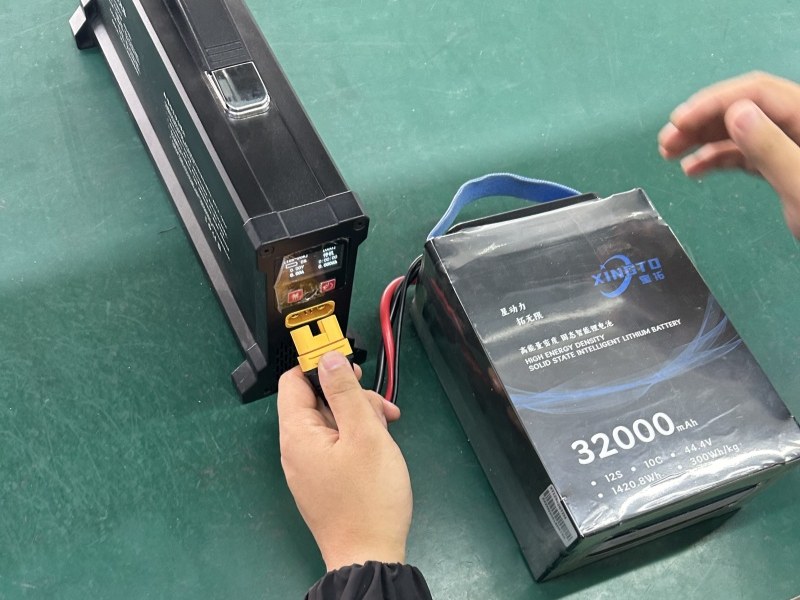
- Connect and Power Up: If your battery is removable, take it out of the drone. Connect the battery to the manufacturer-approved charger, ensuring a secure fit. Then, plug the charger into a stable power source.
- Monitor the Process: Stay nearby and monitor the charging progress. Most batteries and chargers have indicator lights (LEDs) or a display that shows charging status, often flashing during the charge and becoming solid when complete. While many chargers have auto-shutoff features, it is unsafe to leave batteries charging unattended for extended periods, especially overnight.
- Post-Charge Protocol: Once the indicators show a full charge (e.g., all four LED lights on a DJI battery are steadily lit), disconnect the battery from the charger. Allow the battery to cool down before installing it in your drone for flight.
Optimizing Charging Speed and Battery Health
Charging time varies significantly based on battery capacity, charger output, and technology.However, speed must be balanced with battery health. To maximize your battery's lifespan:
- Avoid Full Depletion: Land your drone when the battery reaches 20-30% capacity. Regularly draining it to 0% strains the cells and shortens overall life.
- Use Storage Charge: If you won't be using the battery for more than a few days, charge or discharge it to a 40-60% level before storage. Storing batteries at full charge or complete discharge accelerates degradation.
- Mind the Temperature: Always charge at room temperature (around 20-25°C or 68-77°F). Avoid charging in extremely hot or cold environments, as this can damage the internal chemistry and is a leading cause of swelling.
- Utilize Balanced Charging: For multi-cell batteries (like most LiPos), use your charger's "balanced" or "storage" mode. This ensures each cell within the battery pack charges evenly, preventing imbalances that reduce performance and safety.
Troubleshooting Common Charging Issues
Even with careful practice, you may encounter problems. Here’s how to diagnose some common issues:
- Battery Not Charging: Check all cable connections for damage or looseness. Ensure you are using the correct power source and that the outlet is functioning. Verify the battery is not damaged or swollen.
- Charger Overheating: Immediately stop charging and unplug the charger. Let it cool in a well-ventilated area. Persistent overheating may indicate a faulty charger that needs replacement.
- Indicator Lights Not Functioning: Confirm all connections are secure. If the lights still don't work, try a different power outlet. The issue could lie with the charger or the battery's management system.
Conclusion: Charging for the Long Haul
Mastering drone battery charging is a blend of adhering to fundamental safety rules, understanding your equipment's needs, and adopting habits that promote longevity. By using the correct charger, charging in a safe environment, avoiding extreme discharges, and storing batteries at a partial charge, you ensure countless successful flights.